Home
Home Products
 Cameras
Launch Monitors
Cameras
Launch Monitors Software
 Enclosures
 ProTee
 Business
 Golf Simulators
 Tech News


GSA Golf develop and manufacture the world's most affordable, yet most advanced and comprehensive
hi-speed camera golf simulator tracking systems on the market today

Technical News

System Updates & Development News
GSA Golf daily updates and news
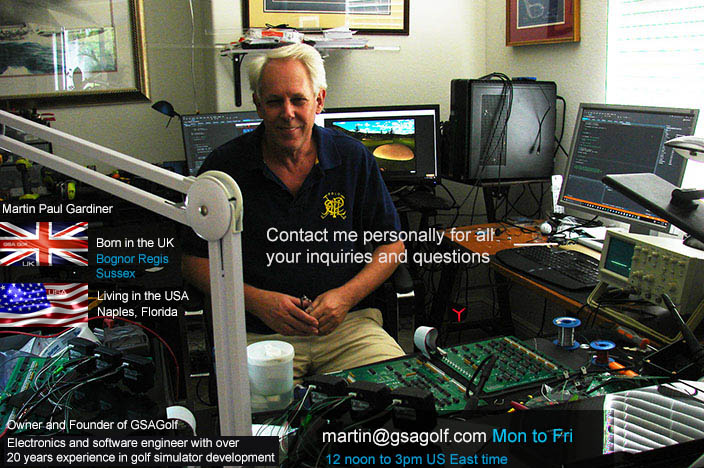
Hi! I'm Martin Paul Gardiner
Electronics and software development engineer and founder of GSA Golf
Regularly check out my tech news page for all our latest developments and free updates
GSA Golf tech news is updated almost daily!
so make sure to check in for all the latest updates and news regularly
If you have any questions
please feel free to contact me personally anytime from M to F - 12noon to 3pm US ET via e-mail at
Please Note: We're closed on weekends and all US national holidays
If you are contacting us on the weekends or on national holidays,
then we'll make best effort to get back to you within 24 hours of the next working day.
Did you get a response to your e-mail?
We get really busy at times and e-mail responses can be late or even forgotten at times.
Please remind us again if you didn't get a response to your e-mail.



GSA Golf Control Panel (CP) Updates
CP 64 update 10.4.8.2

April11 4:00 pm
Click the above button to download the latest CP 64 update.
This is a fast download and installation,
suitable for most users that have done updates and initial installations within the last year or so.

Click the above button to read how to buy and install the new 64 bit full version of the CP
Don't forget to run the download after it's downloaded!
A number of customers don't realize that a CP update is a dual process
i.e first download and then run the download
Note: updates are only for previous full installations.
You cannot run updated without having first installed the full base version
if you are a new user:
Click the above images to purchase and install the full version first if you are a new user.
Only download and run the update after downloading and installing the full version if you are a new user
How to install the CP (Control Panel) full version and updates


Only download this file if you want to overwrite all your settings with the default settings.
After downloading to your download files folder, copy the Camera.ggs file to the C:\GSAgolf folder and restart the CP
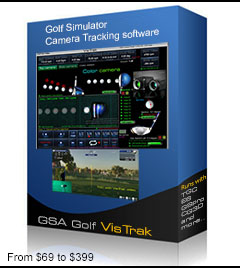
GSA Golf Control Panel Full version
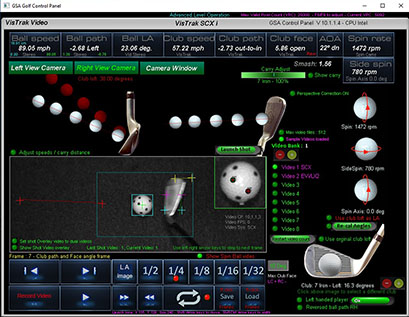
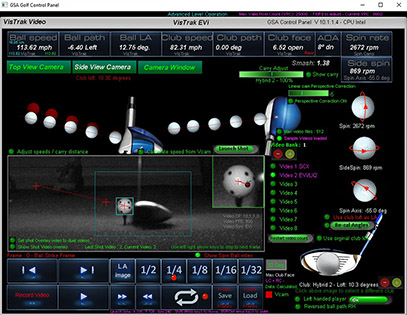
The VisTrak software can be used to evaluate the system with real time image processing
from sample shot videos sent to us from customers.
Download includes sample shot videos of the SCX, EVi and LX2
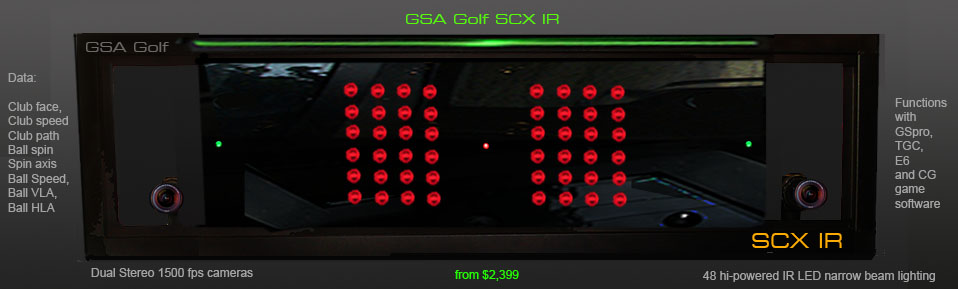
The amazing value GSA Golf SCX
$1,699 to $2,999

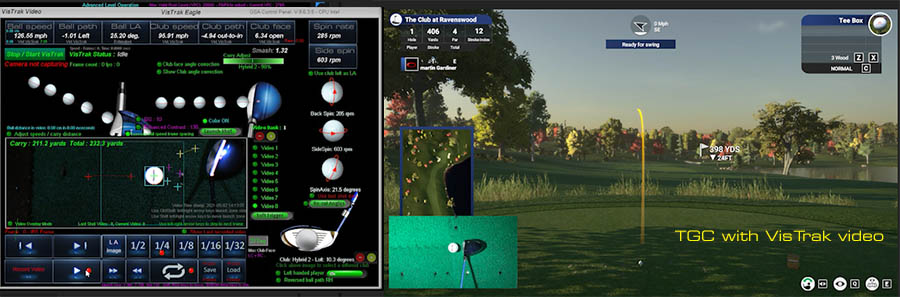
Click above to watch a selection sample videos
Technical Support




April 15 3:00 pm
Auto tee system development
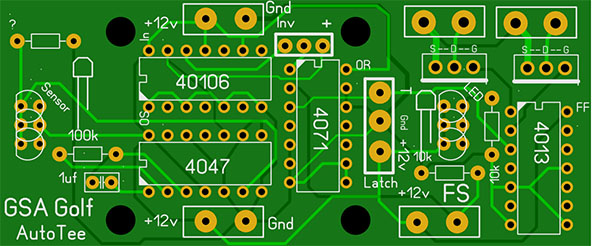
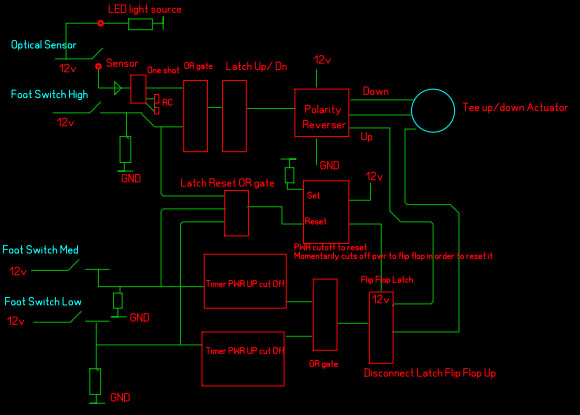
New revised powered auto tee system logic and circuit boards on order.
Production and demo video should be available sometime next week.
April 12 3:00 pm
LX2 construction updates
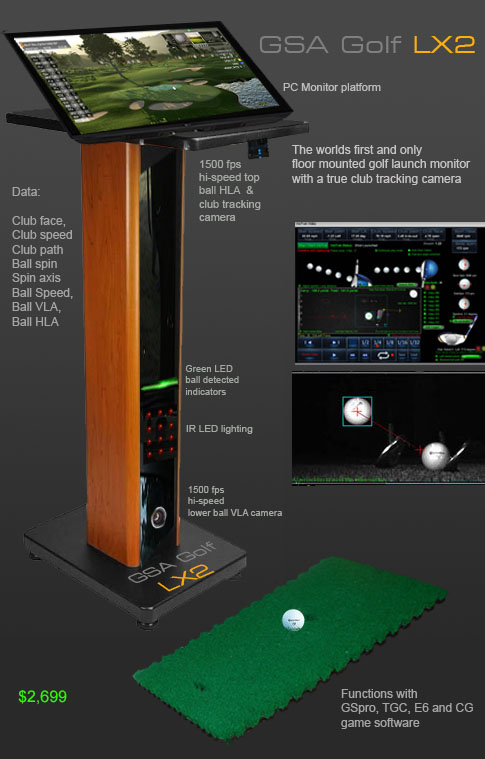
The LX2 now features reinforced tower platform mounting brack ets
plus all cables, power supplies and electronics for the cameras, laser and IR lights are now embedded into the tower post for a much cleaner look.
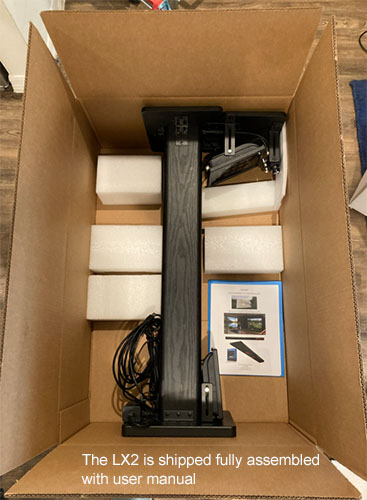
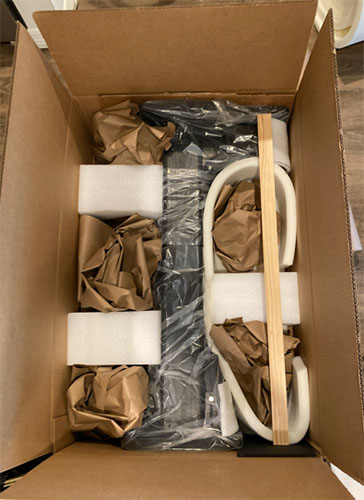
Box is 36" X 24" X 12" : 22 lbs
April 11 4:00 pm
CP update 10.4.8.2
New customer camera registrations
A number of smaller updates
April 11 2:30 pm
Auto Tee-up system development
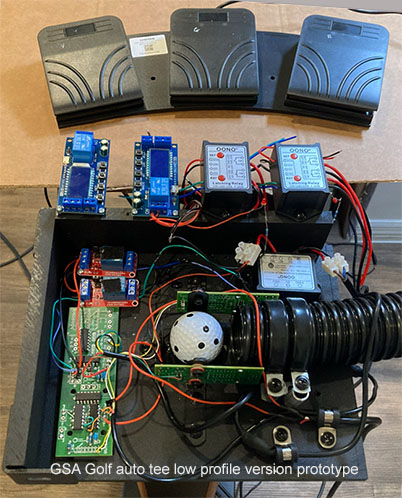
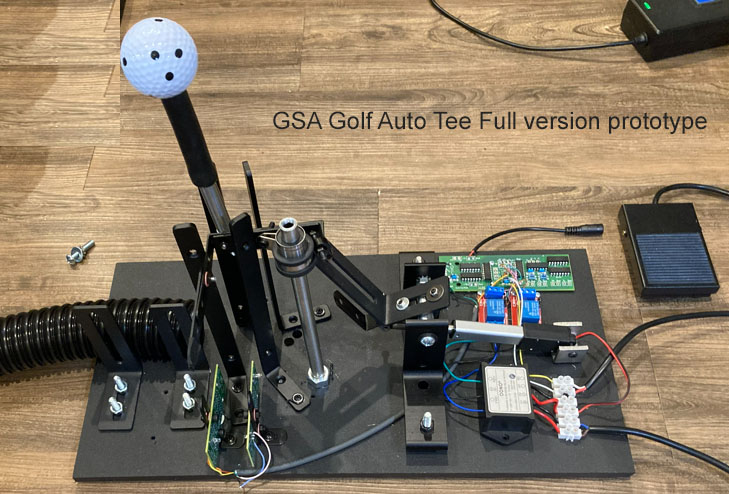
Due to a flood of other system orders, I'm behind the scheduled launch date of the powered auto tee systems.
Expected release date is thus now delayed until May as new circuit boards have to be made in order to reduce the amount of wiring
between the control board, timers and relays.
The above images show the prototype test versions.
March 6 1:00 pm
CP update 10.4.7.6
New: Camera frame rate settings now fixed.
i.e. either 790 or 1500 fps ( as per the camera manufacturer's specifications)
The CP's measured fps is no longer being used as measured fps can fluctuate depending on the CPU or USB bus load)
February 25 7:00 am
GSA Golf Auto Tee-up system
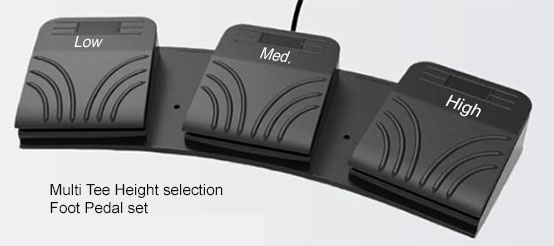
Optional extra: Multi Tee Height pedal set
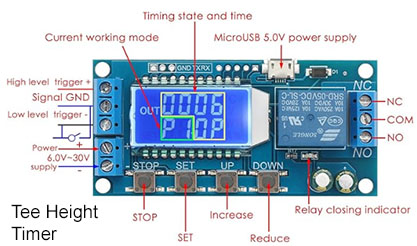
February 24 11:25 am
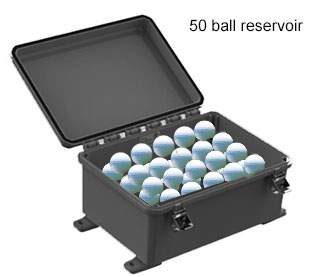
GSA Golf Auto Tee-up system : Under floor ball reservoir
The development of this product is nearly completed now.
System consists of a sturdy box with a hinged and lockable lid
with a compression spring loaded floor that pushes all the balls (2 layers) up
and a paddle on a rail with a pull spring to pull the balls back into the ball feed opening to the auto tee system.
In order to fill the reservoir with balls, levers are attached that hold the floor down and pulls the paddle back
thus relieving the pressure on the balls.
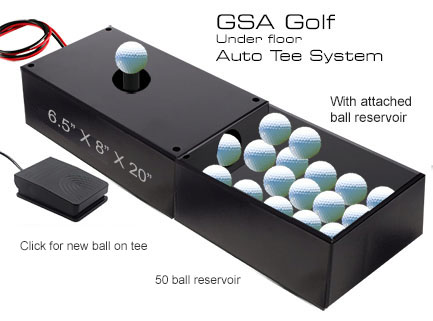
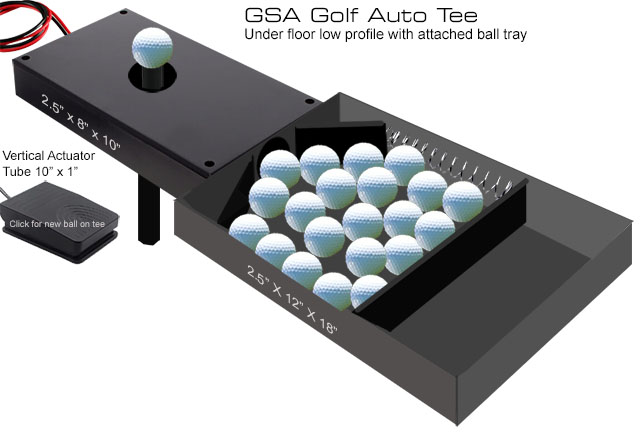
The low profile version - on the other hand - has just a single layer of balls in the tray so no requirement to use spring loaded floor
February 20 12:45 pm
GSA Golf Auto Tee-up system
The Auto Tee-up system development is nearing completion now
Electronics testing with an optical sensor was competed today.
Heavy duty casing and circuit boards are on order:
GSA Golf Auto Tee-up system : Electronics
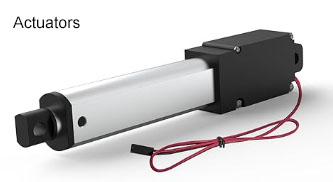
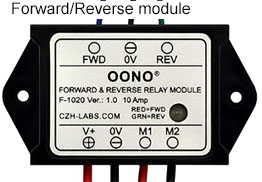
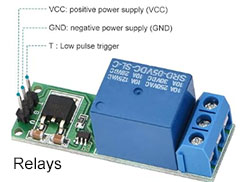
Electronics include optical sensors. relays, forward/revese module and logic circuits.
Logic is :
1: User clicks the foot switch for a new ball
2: actuator is lowered
3: a new ball from the ball feed drops onto the rubber tee
4: optical sensor detects this and automatically starts raising the actuator with the new ball on the tee
 -
- -
-
Expected production start : 1st week in March
A video of the system in action will also be published
February 4 3:00 pm
CP update 10.4.7.4
A number of smaller but potentially important updates
January 31 7:40 am
New GSA Golf Auto Tee-up system
Development of this system is coming along nicely.
Expected production start: May 2026
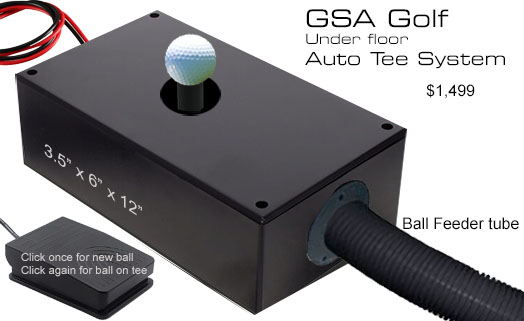
The system features a number of mechanical levers and guides controlled by PLC driven actuators

BTW I must say the development of this product is super fun to do.
Involving real hardware mechanical engineering with whirling motors, ball guides and logic controlled actuators instead of just my usual software development.
It's a bit like developing a pin ball machine.
The market for this product is huge too. i.e. driving ranges, commercial indoor golf sim facilities as well as home users.
I wouldn't be surprised if this product turns out to be my best selling product ever as I already have numerous pre-orders for it.
January 25 8:45 am
New EVI Vcam
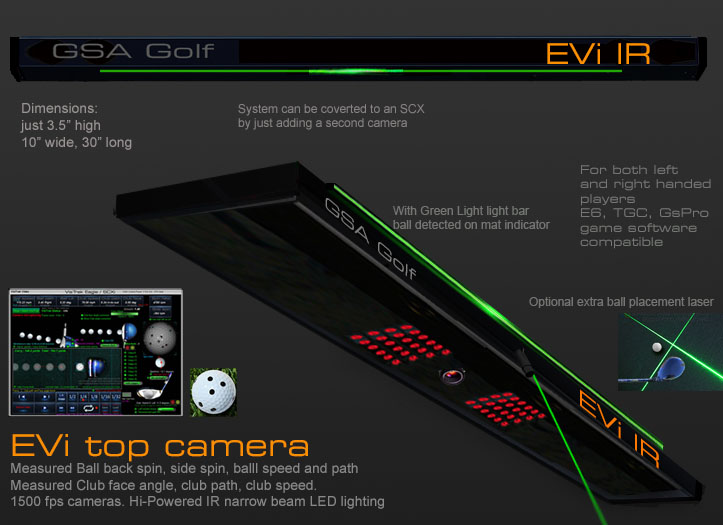
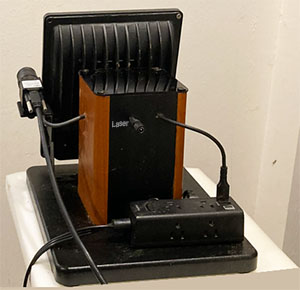
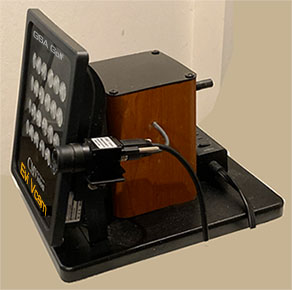
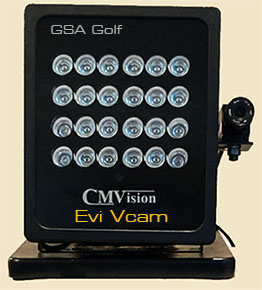
Now includes laser control for the EVI ceiling mounted camera
January 19 12:00 pm
CP update 10.4.6.9
New SCX ball VLA adjust buttons in the camera panel
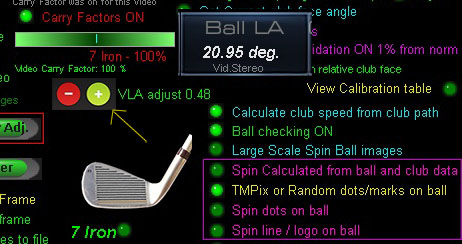
This saves you from having to navigate all the controls in the calibration table panel.
January 18 2:30 pm
SCX calibration table check results
I spent numerous hours today checking and testing the SCX calibration tables using my SCX but couldn't find anything fundamentally wrong with them.
However, there were a few issues with the operation of the calibration panel itself.
Now fixed in this version of the CP
CP update 10.4.6.8
Issues and fault finding page updates
I've made numerous updates to this page today too.
One annoying issue that can happen is a White Screen when starting the CP
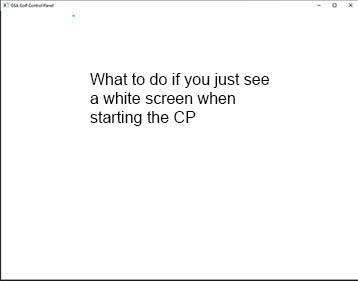
This happens when the USB connection to a camera has been corrupted.
In this case, a call to initialize a camera never returns and thus the CP just hangs.
Probable cause
When plugging in the cameras via the USB cable to the PC, the connection is intermittent due to waggling the cable.
Note that PC USB port connections are often not very secure and any cable waggle will cause this.
How to resolve
Shut the Control Panel down and disconnect the cameras from the PC.
Plug the cameras back into the PC and restart the Control Panel.
You should hear a single audible device connect sound from windows when doing this for every camera.
When connecting the second camera, ensure you only hear the second single device connection sound
and don't hear a device disconnect sound from windows.
If you do, then repeat the disconnect and connect procedure.
January 16 9:12 am
New Laser:
The SCX and EVi systems now come with a new green dot ball placement laser
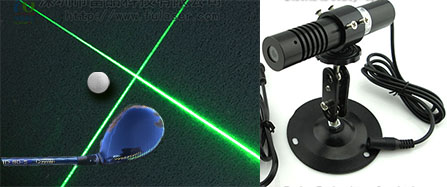
Retro fit for older systems: $149
January 10 12:40 pm
CP update 10.4.6.4
New customer camera registrations
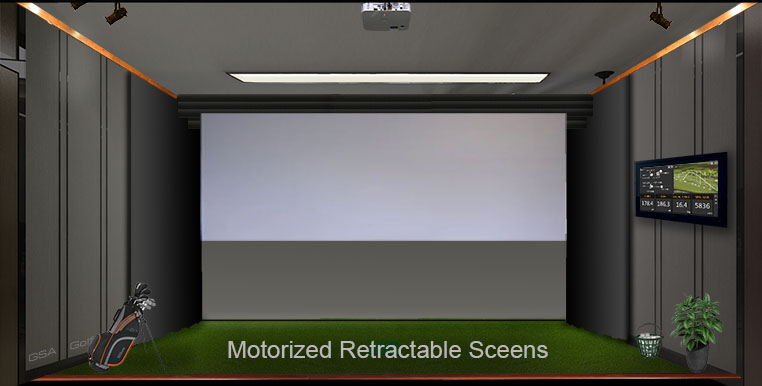
New retractable screen drives
Attach any impact screen to this drive
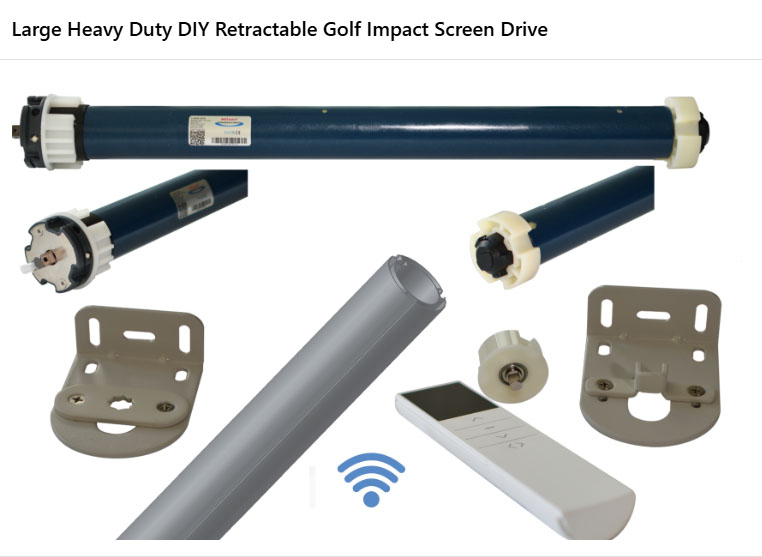
Includes heavy duty roller, bracket, RF remote control (line of site not required),
and limit switches to stop and start the roller automatically.
$799
January 9 12:40 pm
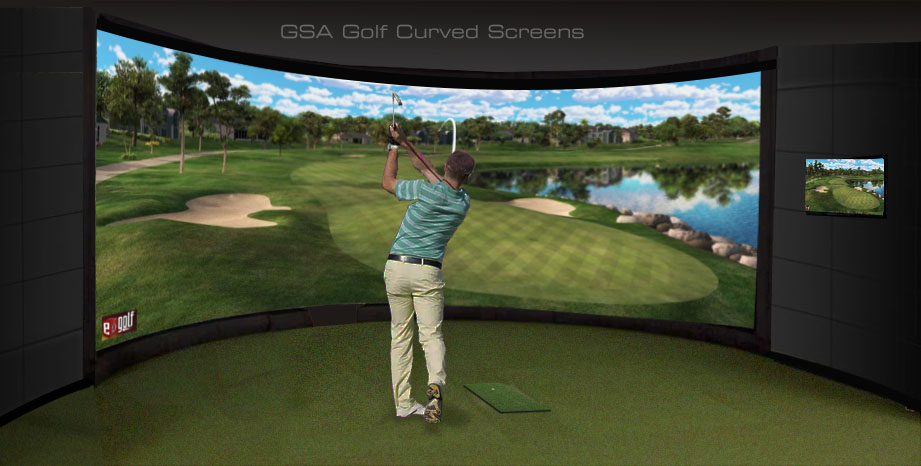
New Wall-to-Wall curved screen frame.
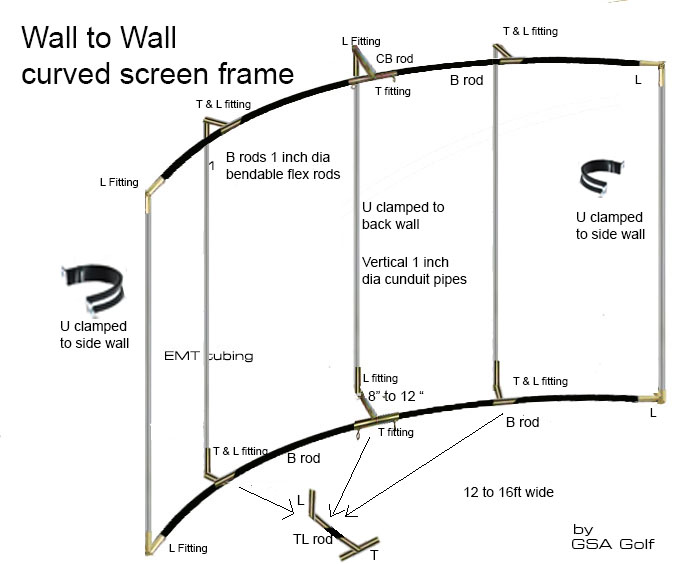
Click above image for details ..
January 1 2:30 pm
New club tracking camera for other floor mounted launch monitors
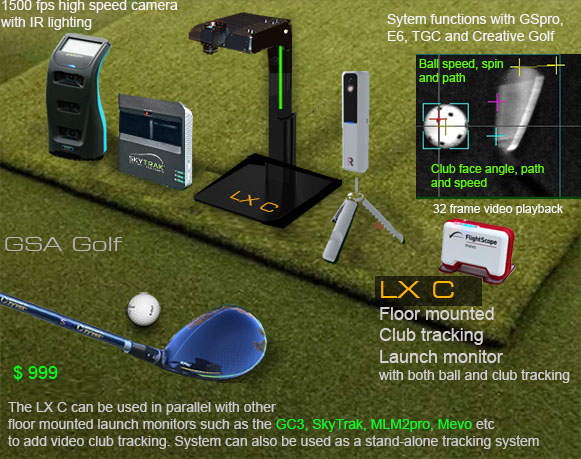
Click above image for details ...
December 16 1:00 pm
CP update 10.4.5.0
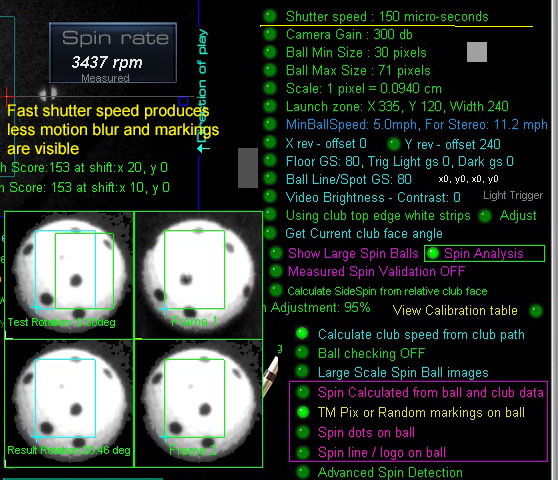
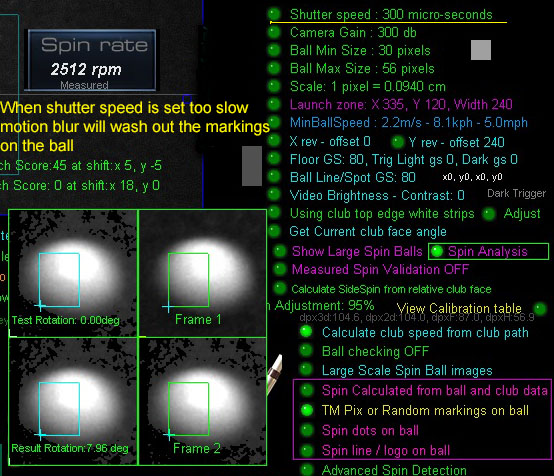
Ball spin detection is now only performed with the system in TMPix or random dots/markings on the ball.
All other methods have now been removed.
Should the user's camera shutter speed setting be over 200 us, a warning will be displayed stating that
measured ball spin will not be possible due to motion blur.
December 15 2:00 pm
CP update 10.4.4.9
New: A number of smaller (but potentially important) updates plus new customer camera registrations
CP update 10.4.4.0
New 1: You can now have the CP automatically start in minimized mode
(After 10 seconds of camera initializing)

New 2:
There's much new code for the new Improved side spin detection for both LX and SCX systems in this update but not yet activated.
Activation of this new code should be ready sometime this coming week after further testing.
New 3:
Coming soon: ball back and side spin detection for SCX systems using just the ball logo.
November 24 9:30 am
Coming this week: Improved side spin detection for both LX and SCX systems

While the back spin detection with floor mounted systems (LX systems) is spot on, side spin detection requires more development.
Same goes for ceiling mounted systems (SCX and Eagle).
Update expected latest by the end of this week.
November 22 10:30 am
CP update 10.4.3.9
New 1: Hybrid clubs (in addition to all irons) now also using Top Edge club face detection
November 21 1:30 pm
CP update 10.4.3.8
New 1: Side Spin validation check
LX Stereo
The LX Stereo is now active as of this version of the CP
Numrous tests were made and all seems to function correctly.
The LX Stereo will be available for purchase as of this weekend.
November 18 1:30 pm
CP update 10.4.3.7
Fix 1: User setting "Permit Chipping/Putting modes" being switched back ON after being swicthed OFF
Fix 2: Global height Adjustment setting not being stored in the SCX calibration table.
New: LX Stereo now activated for testers
November 15 1:15 pm
CP update 10.4.3.6
Fix 1: Chipping mode kicking in even though the user setting "Permit Chipping/Putting modes" is switched OFF.
Fix 2: Issue with the advanced spin factors table fixed.
Other than this, most changes made where for the new LX Stereo system coming later this month
October 11 11:30 am
CP update 10.4.2.1
New: Real-time Event logs now being displayed in the CP's main panel
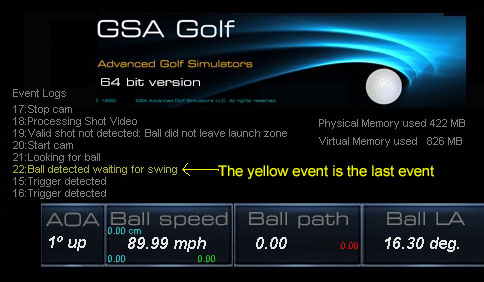
Event logs help us to trace shot errors and improve customer support. e.g. when a shot is not deteceted
September 22 4:30 pm
SCX Taylor Made PIX ball spin detection tests
Very good spin rate testing results are now being achieved with TM PIX balls with SCX
So good in fact that we have now deprecated all other ball marking methods (i.e. spin dot and ball logo) for use with the SCX.
Spin dot and Logo spin detection methods are only now available when using our LX1 floor mounted systems
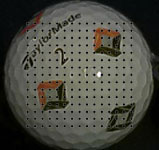
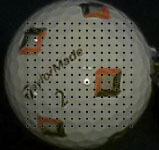
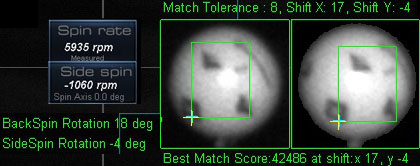
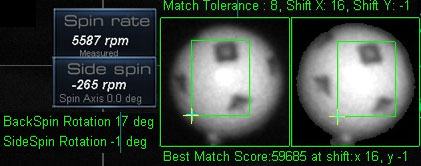
The TM Pix balls are currently the most popular marked balls used with the SCX
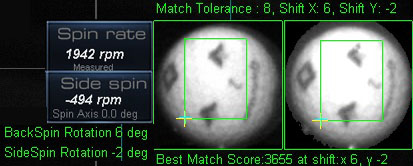
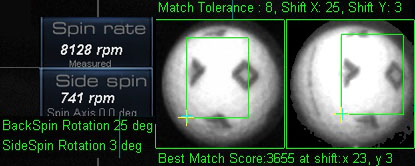
Low and high spin rate detection using TM PIX balls
September 19 2:00 pm
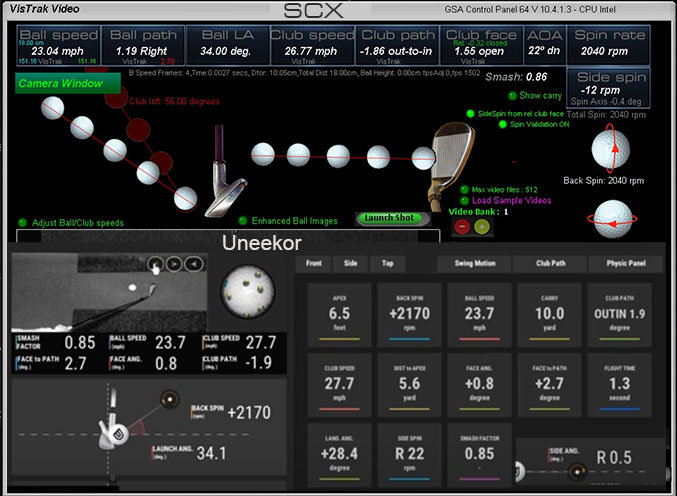
New SCX vs Uneekor comparisons. Click below image to read more...
CP update 10.4.1.4
More ball spin accuracy updates
Numerous other smaller updates
September 15 3:30 pm
CP update 10.4.1.0
New Large Scale spin ball images
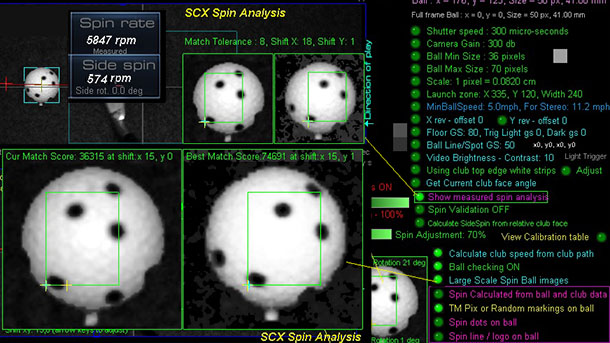
The new large scale (4 times as large as the original ball image) allows for more accurate measured ball spin detection
Numerous smaller updates
September 11 3:40 pm
Direct SCX comparisons with Uneekor and Protee VX systems
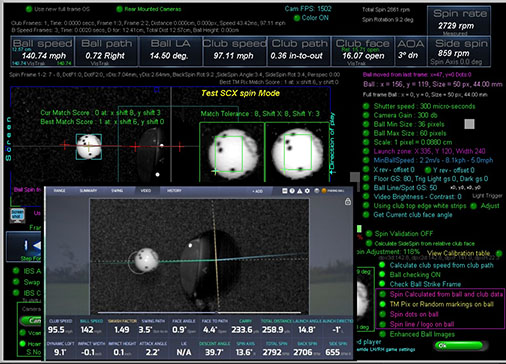
Click above image to read more...
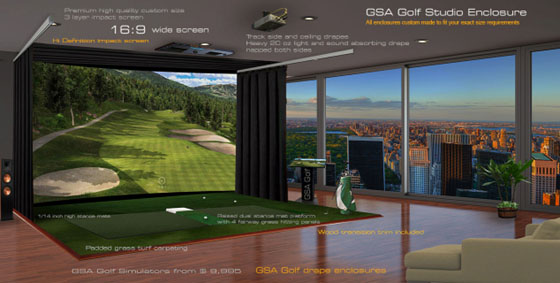
New Golf Sim enclosure wall and ceiling carpet panels now available
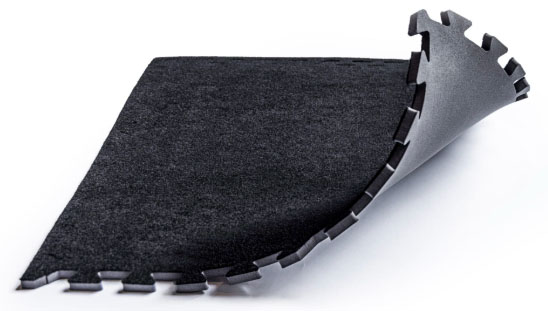
Click above image to read more...
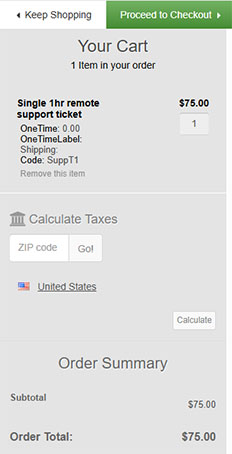

GSA Golf now excepting AmEx card payments with the new GSA Golf Shopping Cart
Prices from $20,000
Click above images to read more...
More details on how to install curved screens
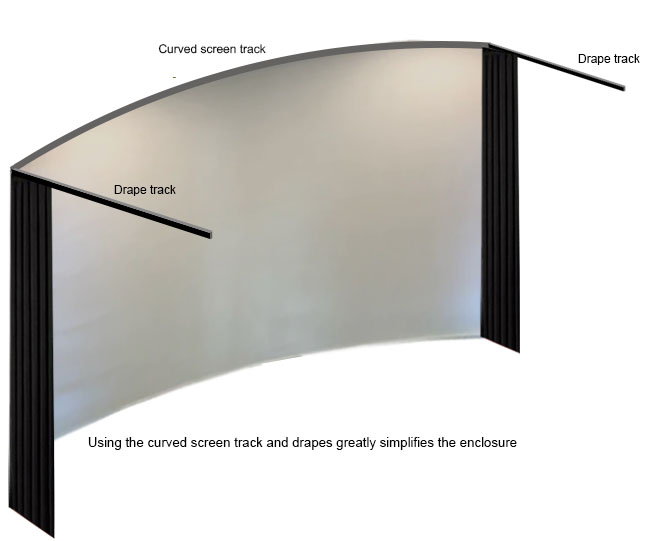
Click above image to read more...
February 27 3:00 pm
Free wedge stickers now available:
The bright wedge issue:
Currently, it cannot be guaranteed that small chips with bright faced wedges will be detected.
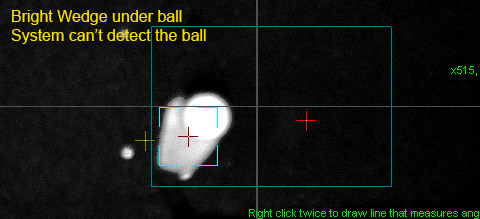
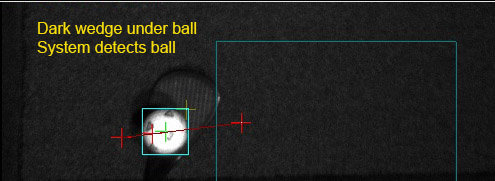
If the issue persists, you'll have to use dark colored wedges or apply the new supplied sticky back matte black stickers to the wedge face.
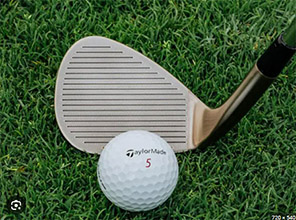
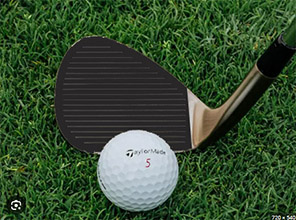
Above image showing how the wedge looks when the wedge black sticker is applied
Just email us with your address for your free black wedge stickers pack if you didn't already receive them.
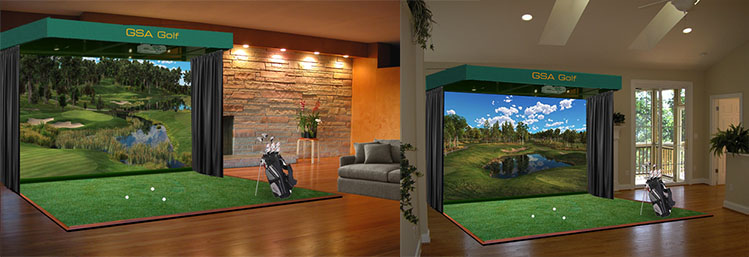
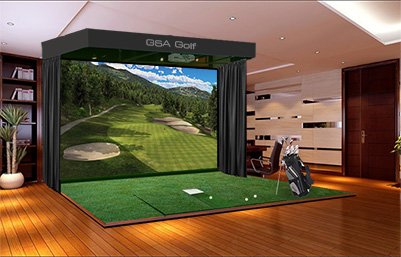

Click above for all your accessory requirements

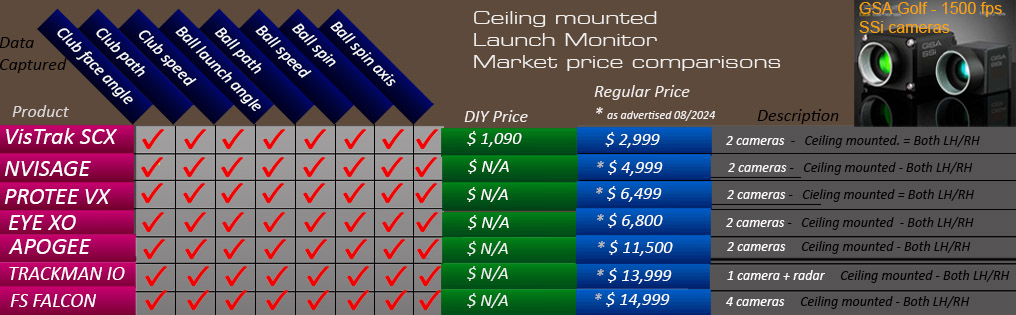
Similar product market overview
Factory
Based in Naples, Florida,
all GSA Golf products are meticulously assembled and tested by hand to meet the highest industry standards

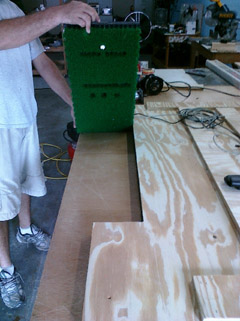
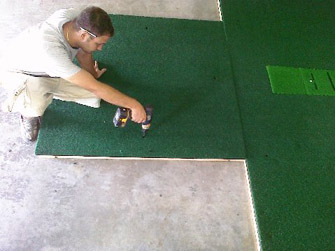
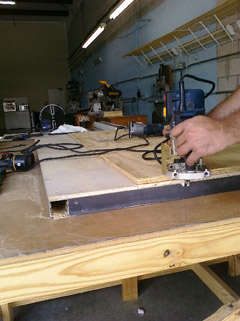
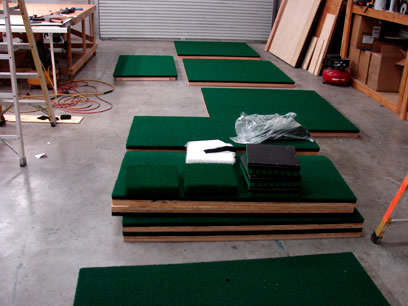
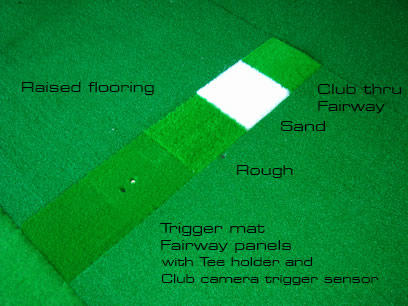

GSA Golf golf simulator components and kits
CX and Vistrak system components can be used to build the complete GSA Golf golf simulator camera tracking system
at a far lower price than the ready made system prices

Click above to read more about GSA Golf components and kits

The GSA Golf camera tracking software is available to
all OEM golf simulator manufacturers
and/or DIY enthusiasts for just
$ 299.00
Just purchase your own cameras and lighting
Click above image to read more
GSA Golf Investment and Reseller Opportunities


Recent customer comments
Hi Martin, I just wanted to drop you a note to say how amazing the new VisTrak camera is.
I am still playing around with the settings and learning but the video capture and being able to see the frame by frame impact is awesome!
I also really like the way you show the ball ready/playback buttons as an overlay on the TGC.
The best part of my day is going to the tech page and seeing your latest updates - keep up the good work!
Richard L. Illinois 12/17/2020

Hi Martin- I wanted to let you know how much I appreciate your efforts.
I could have bought any of the expensive and well-known golf simulators, but I’m glad I ultimately took the chance and bought your products.
It wasn’t an easy decision, as it takes a leap of faith to take the road less traveled, but it has made all the difference.
I love that your products are not perfect (no one's are) but that you strive for perfection while pushing innovation.
You’re clearly never satisfied. As soon as you develop a new software feature, or build a new camera system, you're immediately back at it working on the next iteration.
You’re a true inventor and engineer. Almost every day I download the latest beta and see how it enhances the simulation.
It's like Christmas morning everyday.
Sometimes there’s a marked improvement. Sometimes the new feature “breaks” something else.
But over days and weeks, I feel how the collective innovations are improving the overall experience.
Your products aren’t for everyone but they are a clear alternative to the high-margin corporate products that have an arm's length association with their user base.
Buying a GSA product is buying into you and becoming part of your user community.
You listen, you care, and you explore. I know many of us appreciate it but perhaps not enough of us say thanks.
Martin, thank you for an enjoyable and rewarding journey with your products in 2020.
You’ve made a COVID 19 year more endurable.
Eric P. Burien, WA 12/25/2020
Matt P. 1/15/2021
Hello Martin, I have had 2 weeks of excellent play and stability in Eagle Mode! This has been very enjoyable! Matt T.
Matt T. 1/14/2021
Hi Martin, I see your daily updates on the Tech News page and I just want to say thank you for all your hard work and dedication.
Your passion for golf and engineering clearly shows and thank you!
Mike B. 05/03/2021
Thanks Martin……..
I appreciate the excellent customer service and fair pricing! And the very informative website!
Have a great day!
Mike.
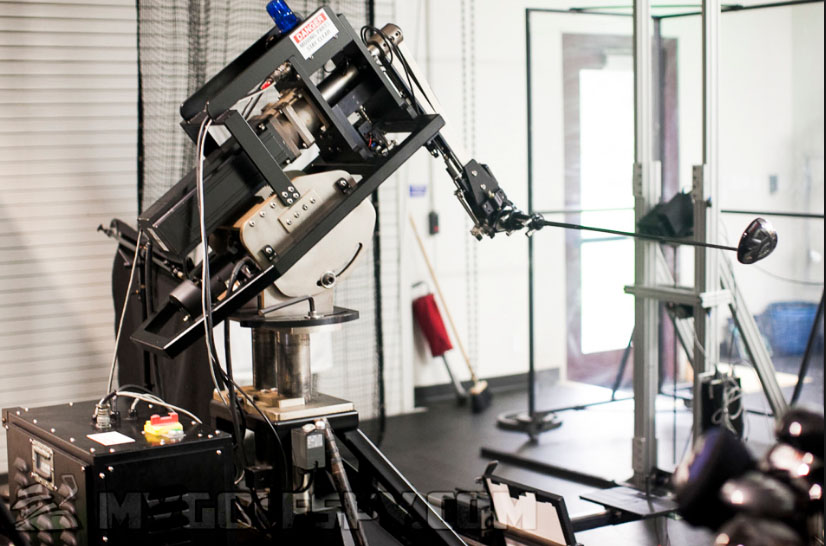
Click above button to read more...
Technical Support

Martin Gardiner
Founder of GSA Golf

These days, when I'm not developing golf simulators, you'll find me in my keyboard music studio
Hi! I'm Martin Paul Gardiner
Electronics and software development engineer and founder of GSA Golf
Regularly check out my tech news page for all our latest developments and free updates
if you have any questions
please feel free to contact me personally anytime from M to F 10am to 3pm US ET

Currently looking into integrating AI technology into GSA Golf tracking systems
Contact us


Business opportunities with GSA Golf

Enjoy huge earnings and great markups by using our cameras and software
for your system installations or just offering any of our products for direct sale.

Launch Monitors
 -
-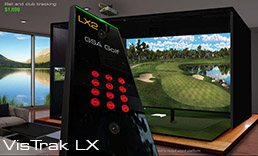 -
-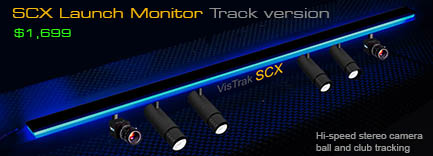
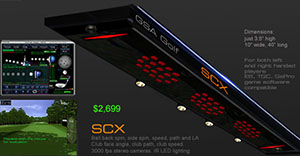
VisTrak hi-speed camera Launch Monitors from $ 1,999.00
Click above images to read more...
PROTEE VX

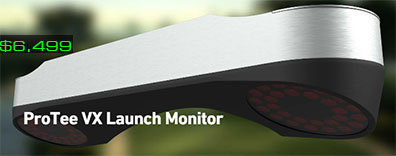
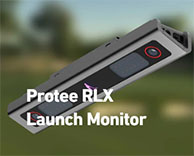
Currently the world's most advanced hi-speed tracking system
$ 6,499.00
This ceiling mounted, camera based system accurately measures club and ball data
without the need for specialty balls or marked clubs !
Click above images to read more...

 -
-